Your guide to Hen Soma
Hen Soma is a nonprofit Christian service platform. It aims to bring us together as one body around God’s Word, prayer and praise, and to make learning, service and spiritual sharing easier.
Guide updated: 24 November 2026
Start here
- Choose a section from Home or the Hen Soma menu. Section tools appear in the bottom bar on phones and the sidebar on wider screens.
- Choose Read for reading and search, or Present to prepare content for an audience. Open section settings for its preferences and downloads. In presentation mode, Settings always opens presentation settings.
Downloads and content updates
- Select packages or languages in section settings, start downloading and wait until it finishes before relying on offline access.
- Downloaded content is available offline in the Windows and Android apps. Browser storage depends on the content and storage support; opening a page once does not save the whole library.
- Compatible content corrections are independent of application releases. Check notifications and package status, and use Check content updates when needed. Hiding a package does not delete it; Remove is a separate action.
Bible reading and search
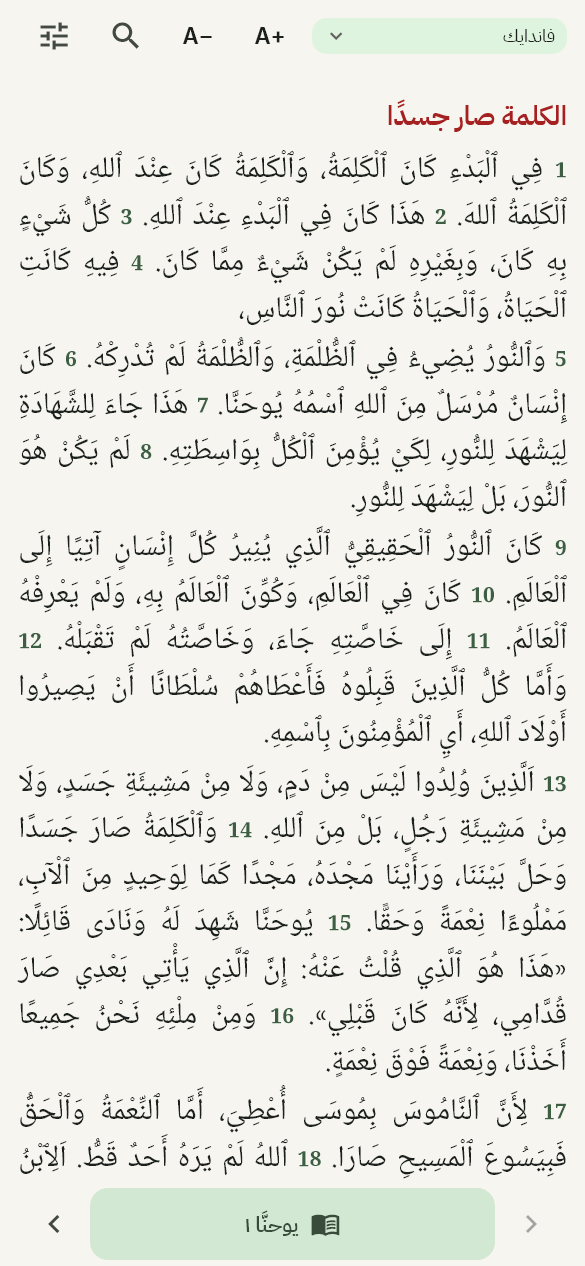
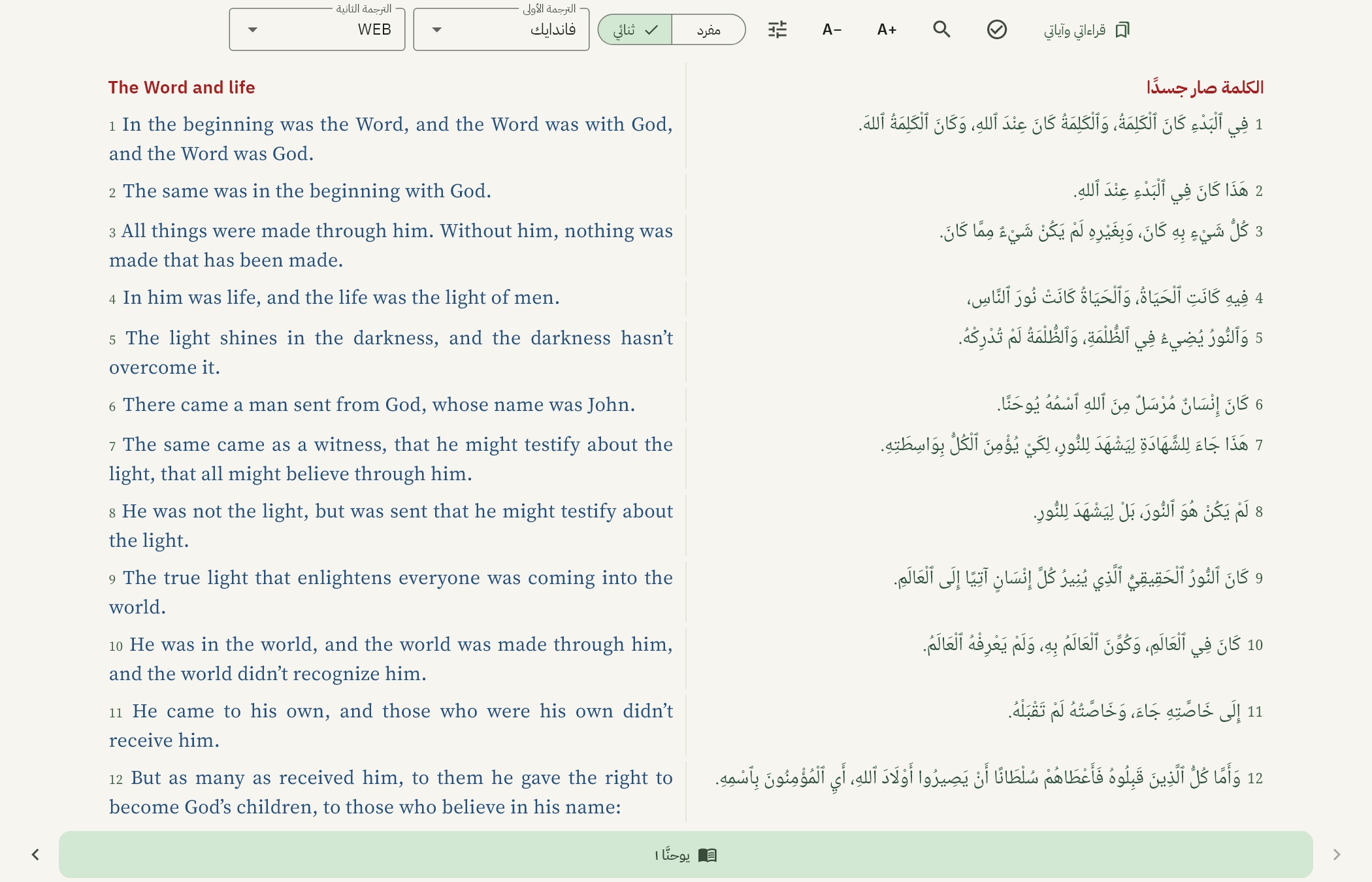
- Choose a book and chapter from the navigation bar, then select an available translation. Adjust text size and reading preferences. Section headings depend on the selected translation’s data.
- Search by a word or reference, then open a result. If a translation is missing from results, check its visibility and search settings and confirm its download is complete.
- Use My reading and the available verse tools for saved items, highlights, copying and notes. Tools may differ by application version.
Hymns and listening
- Choose a language package in Hymn settings, then search by title or lyrics, or use the alphabet index and filters.
- Open a hymn to read its lyrics. Information shows available sources, creators and details.
- Approved listening links appear when available. They need internet access and providers vary by hymn. Downloading a lyrics package does not download audio recordings.
Manjalia
- Manjalia brings together Agpeya, Kholagy, Psalmody, Madayeh, Katameros and Synaxarium, depending on the platform.
- Choose a section from Manjalia Home. Some versions label this section Orthodox.
- Open the date picker in Katameros or Synaxarium. Switch between Gregorian and Coptic calendars when supported by your version, then choose the day you need.
General and section settings
- General settings control interface language, appearance and section visibility. Hidden sections leave the Hen Soma menu without deleting their data or downloaded packages.
- Bible, Hymn and Orthodox settings manage each section’s reading preferences, languages and packages. In presentation mode, Settings always opens presentation settings.
- Presentation settings change the audience font, size, background and available output screen, without changing the content text.
Account, saved items and sync
- You can read and search downloaded content without creating an account. For account-linked personal items, sign in with the same account on your devices.
- Review Personal sync in Account, enable the options you need or choose Sync now. Sync needs a connection and compatible versions; supported data can differ by release.
- Package downloads on each device are separate from syncing personal items. If sign-in fails, use password recovery and complete verification yourself. Never share passwords or verification codes.
Audience presentation and external display
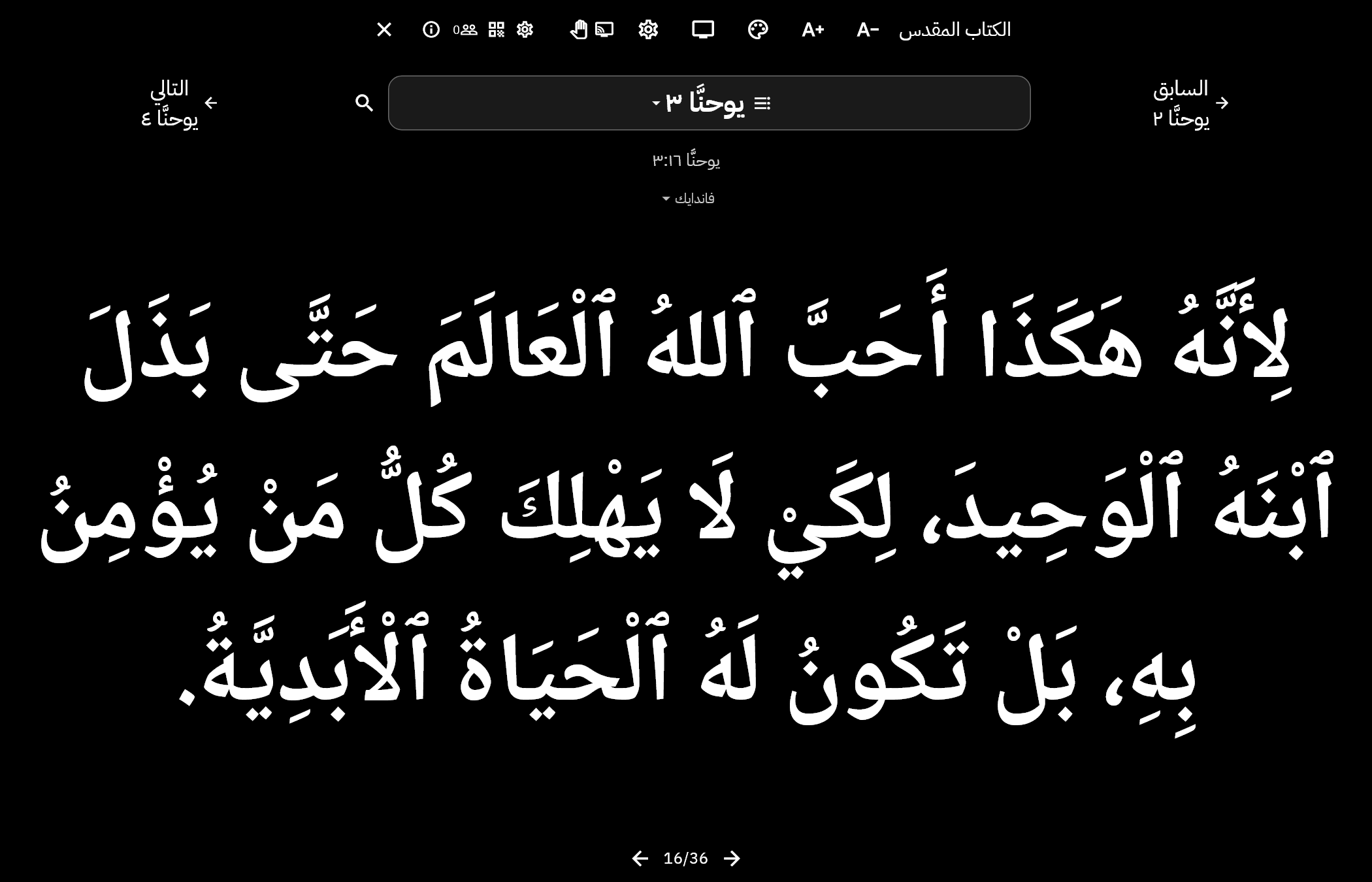
- Switch to Present, choose content and use Previous, Next or the index. Adjust font, size and background in presentation settings, and check the selected screen and content before a service.
- On Windows, connect the display, choose Extend and select the audience screen from the available tools. On the web, the audience window depends on browser support and permission to open it.
- Windows tools are not all available on phones or the web. Session sharing and camera or hand controls appear only when supported and configured; try each tool on your device before relying on it.
Quizzes | Arena
- Open Arena to create and manage quizzes with an eligible account, or join a quiz using its code. Live quizzes and account services require internet access.
- Guests can join with a nickname and game code, subject to quiz settings, without creating a permanent account. Ask the host for the code and wait for the session to start.
- Use My quizzes and My participation when available in your version. Saving a draft does not publish it for everyone; check save and sharing status before leaving.
Platforms and help
- The Web app runs in your browser. Installing a shortcut or PWA does not install the Windows or Android app. Web content, storage and external-display tools differ from native apps.
- The Android app has a public listing on Google Play. Visit Microsoft Store to check availability for your device and account. iOS and macOS apps are not currently available.
- When reporting an issue, include your platform, version and build from About Hen Soma, and the steps that caused it. Hide personal information in screenshots, and never send passwords or verification codes.
Our vision: one experience for your day and gathering
Our vision is to bring the one body together in spiritual life through a nonprofit Christian service platform for readers, families and those who serve. We bring Scripture, prayer, praise, learning and service closer through an organized library, reviewed content that preserves its sources and rights, and an approachable Arabic and English experience on phones, computers and browsers. We make downloaded content useful offline where supported, and aim to deliver compatible content corrections safely without requiring a new application release for every edit.
What can you use?
Scripture, hymns, Manjalia, with Agpeya, Kholagy, Psalmody, Madayeh, Katameros and Synaxarium where available, and quizzes. Use the reading, search and presentation tools enabled in your version; content libraries and some tools differ between platforms.
Where are we heading?
We are working toward this vision in stages. Content and service tools expand after review and testing; these goals do not mean every tool is available today. Items marked “Soon” are not available yet, and speech-to-text is deferred.
Get to know the interface
Hen Soma interface captures without account data. Tools and content may differ by platform and application version.
Web app
Choose the store for your device. Store availability can vary by device and region. The Web app is available in your browser.
Windows
Hen Soma on Microsoft StoreVisit Microsoft Store to check availability for your account and device.
Android
Download on Google PlayOpen the public Hen Soma listing on Google Play to install the Android app.
iOS
Currently unavailablemacOS
Currently unavailable